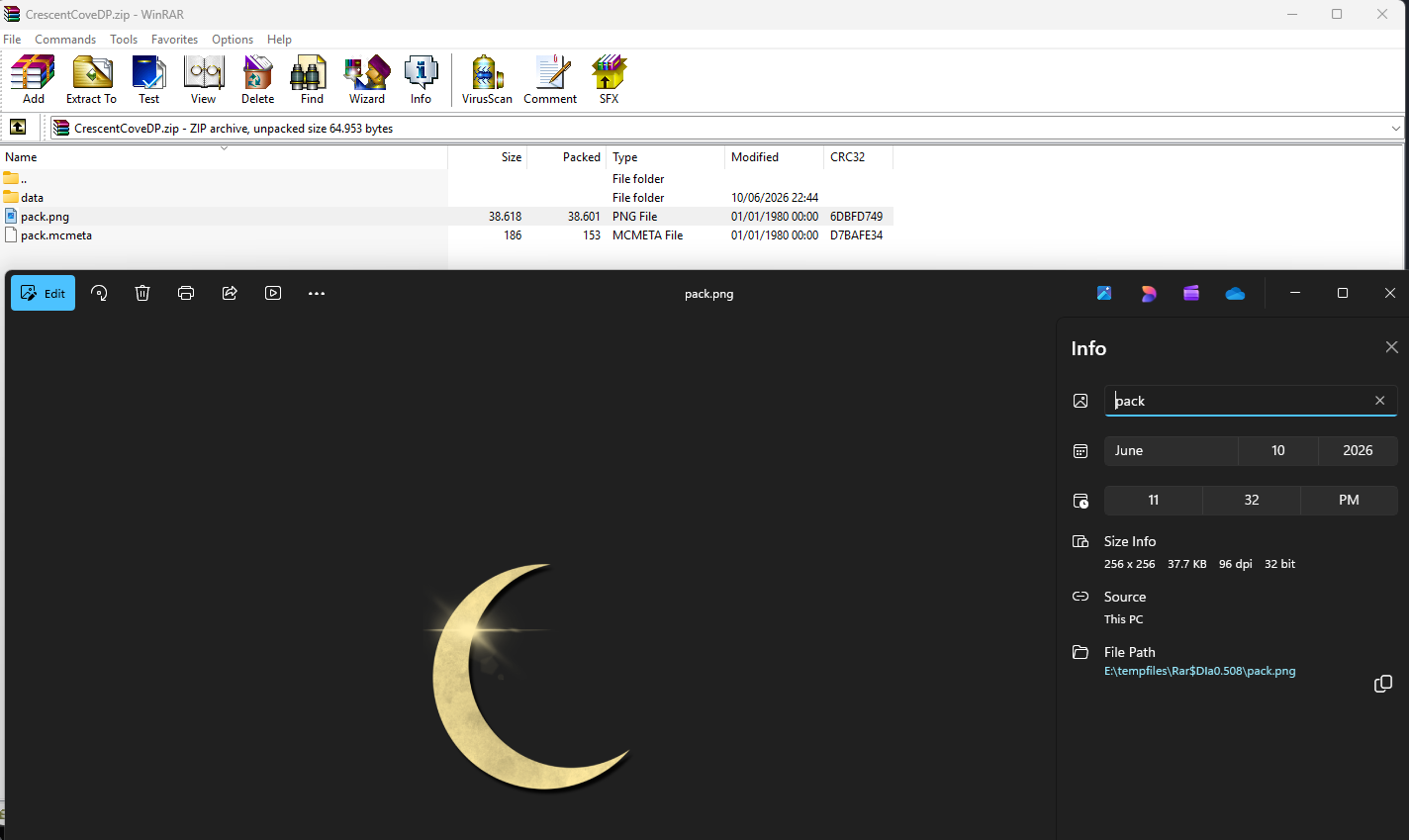
When downloading TrixyBlox’s paywalled maps on Patreon, I noticed that every single resource pack and datapack they use has this weird protection that tricks WinRAR into thinking it’s a multi-archive ZIP file, while 7-Zip straight up refuses to read it:
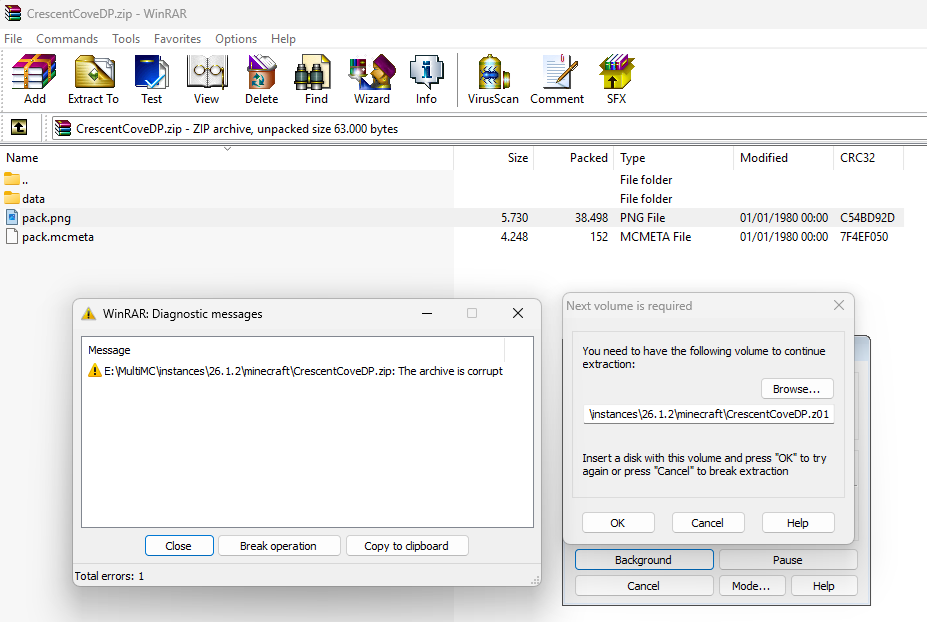
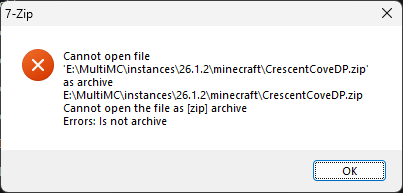
This is an anti-tamper mechanism I’ve never seen before. Usually, people would simply password-protect a ZIP file so you could see the file’s contents but having to type in the correct password to extract it, but never like this. My guess is that this is some kind of anti-forensics measure to prevent people from knowing how the datapacks work, and to stop the average kid from just stealing his resource packs and datapacks. This is especially because one of his maps, the Ultimate Survival World, contains some janky DRM that will trigger if the datapack has been tampered with (which could be triggered by simply updating the map to work with newer Minecraft versions, thus locking out legitimate customers), if the datapack is missing, or if it has exceeded 10 or 25 unique joins, depending on which version you downloaded (25 joins world download requires a higher-tier subscription).
My findings
It’s highly recommended to read the Wikipedia article on ZIP to understand what this means, specifically, the “File headers” section.
These unzip-protected files always start with the magic number 50 4B 05 06, which implies EOCD, instead of the usual 50 4B 03 04 structure a normal ZIP file would expect, but this is an invalid structure as it’s immediately followed by 50 4B 03 04 which is the local file header for the actual files.
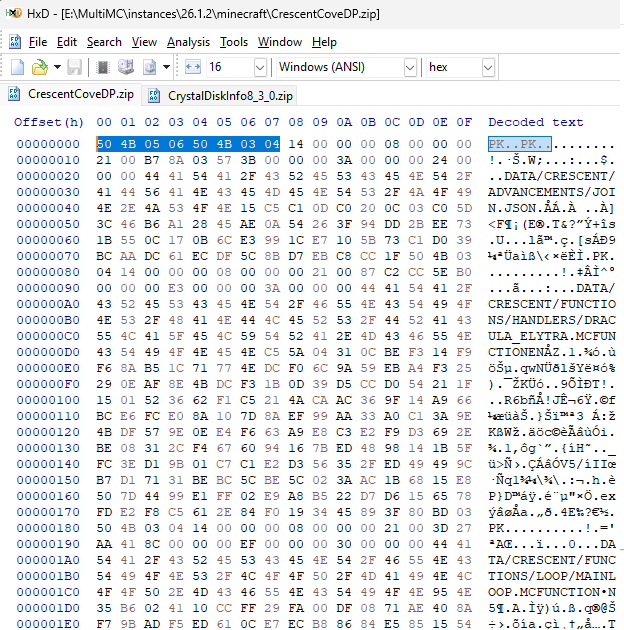
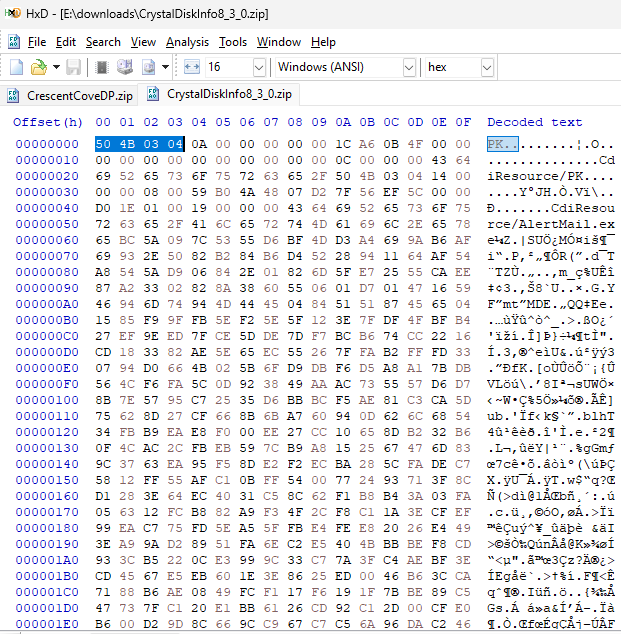
The EOCD that’s expected to be at the end of the file uses 50 4B 05 06 FF FF 00 00 instead of 50 4B 05 06 00 00 00 00.
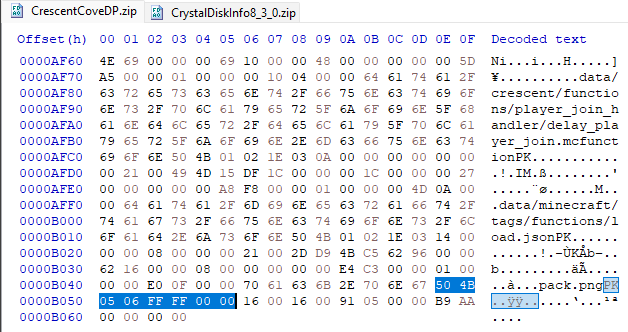
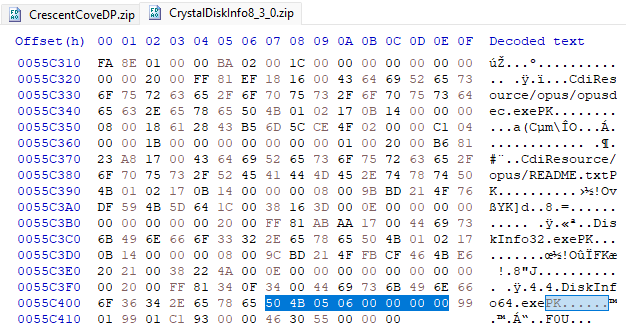
Attempting to remove the fake EOCD magic number at the beginning of the file and changing FF FF 00 00 with 00 00 00 00 with the EOCD at the end of file doesn’t do much; WinRAR thinks the archive is corrupt. Without fixing those, it instead thinks that it’s both corrupt AND is missing a second zip file.
Some file names are weirdly in ALL CAPS when using a hex editor to view it, but the CDFH towards the end uses the correct capitalizations. WinRAR, however, sees them as all lowercase.
There might be other tricks up his sleeves that I haven’t discovered yet to further tighten the protection, and I’m not really sure what tool he used to achieve this, but it doesn’t really matter for the scope of this post, as this protection is easily removable anyway. I tried searching online for “fake zip eocd” or “fake multi-archive zip file” but I couldn’t really find any resources for this, so suffice to say it’s probably a proprietary tool he made that’s never distributed anywhere.
How to extract the files
TL;DR: use jar xvf file.zip and compress the extracted files into a fresh ZIP file.
I tried a couple of tools under WSL (because I don’t have a Linux installation on this machine), but none of them worked.
zip -FF file.zip --out out.zip thinks it’s an empty ZIP file when you try to extract the archive, with or without modifying the ZIP to try and match the correct expectations, with errors could not open input archive: file.zip, followed by could not find: file.z01. Attempting to end the archive results in a warning zip file empty.
7z e file.zip -tzip tries to extract the first file found but throws an error and refuses to extract anything else.
binwalk --dd=".*" -e file.zip sees the rest of the files, shows the correct file sizes, but only extracts several files.
After using verbose logging on binwalk, however, I discovered something: it tried to execute jar xvf file.zip but was met with permission denied errors.
Then the realization dawned on me. These are resource packs and datapacks for Minecraft maps. And because Minecraft JE uses… well, Java, I thought I should try jar xvf file.zip on the datapack because I’d assume that the game would simply use the built-in zip parser provided by Java. So I used that command directly in the terminal and BOOM, it extracted all the files without issues.
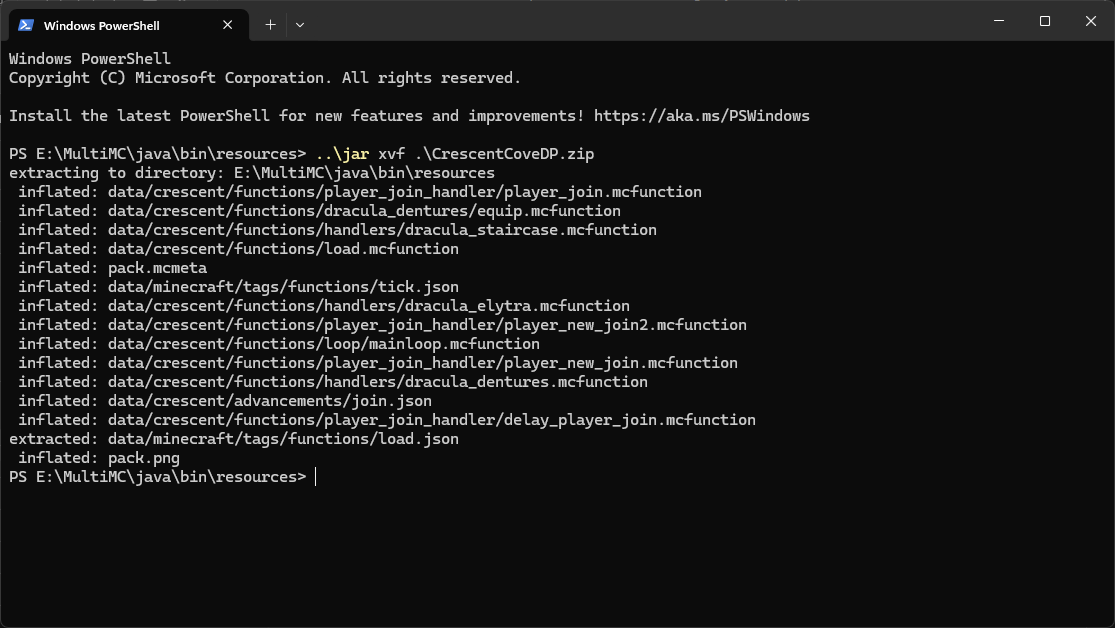
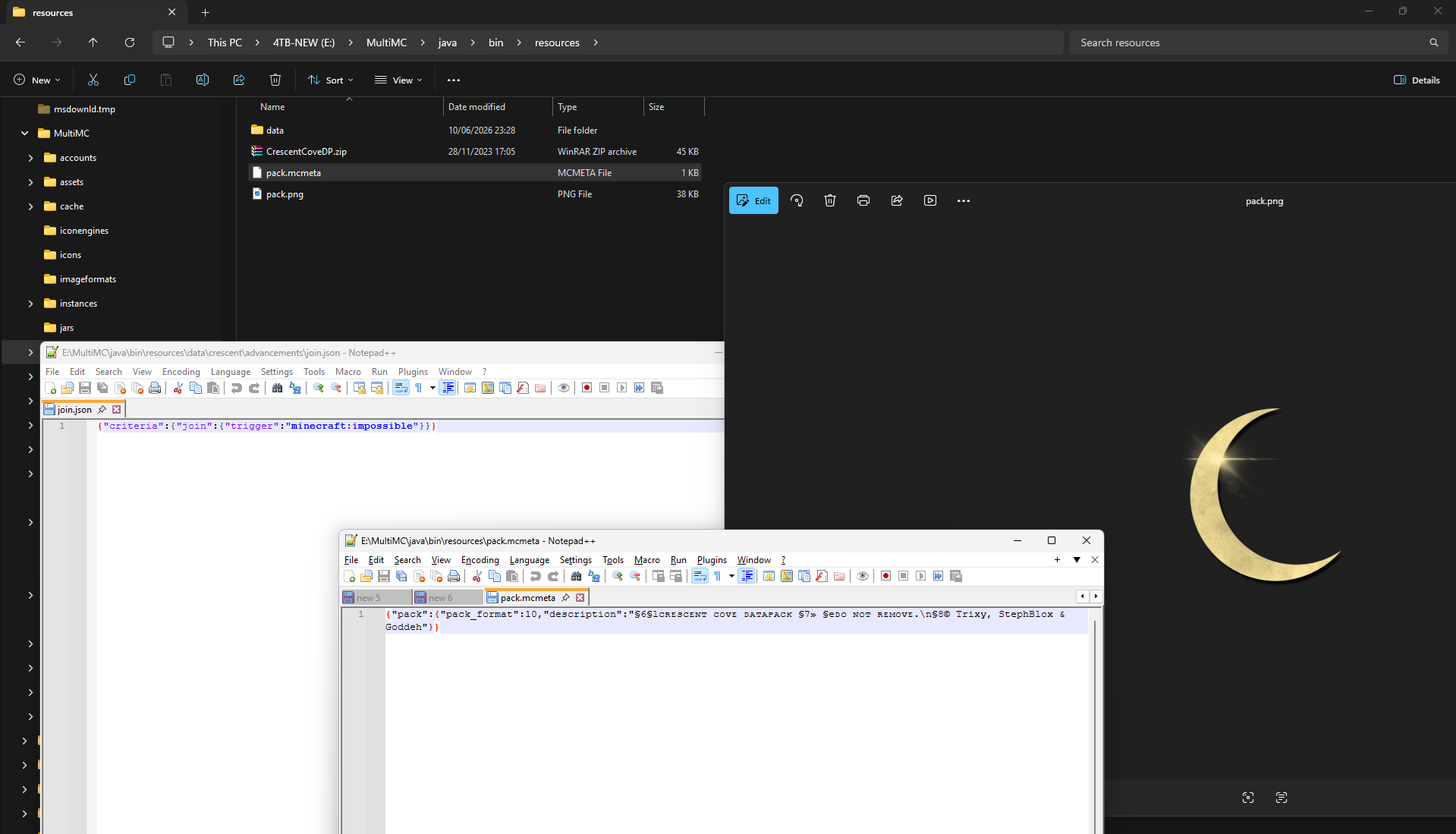
All I had to do next was to repack the files into a new ZIP file, and voila, no more unzip-protected ZIP files.
Will TrixyBlox use a different method in the future?
I don’t think so. The thing is, these protections rely on the fact that Java’s ZipInputStream (used by jar) doesn’t follow ZIP’s specification.
Most extractors (e.g. WinRAR, 7-Zip) are end-first readers. They jump to the EOCD at the tail, read the CDFH, and use that as the authoritative source of truth. They largely ignore or only cross-reference the local headers. This is by design, as it’s what makes ZIP splitting/spanning work.
One of the protection’s schemes is that the EOCD fields that are set to FF FF are the disk number fields in the EOCD.
50 4B 05 06 = EOCD signature
FF FF       = disk number of this EOCD (should be 00 00)
00 00       = disk where Central Directory starts (should be 00 00)
FF FF is literally disk 65535. Any tool that respects the ZIP spec reads this and concludes the archive is a 65536-part split archive, then immediately goes looking for file.z01. Since that doesn’t exist, it bails. WinRAR and 7-Zip are too spec-compliant to proceed.
Similarly, the fake EOCD at byte 0 is meant to trick tools that read the contents from the start of the file. It would find it first, or gets confused by the two EOCDs, and thinks the archive is a corrupt/empty split volume.
On the other hand, ZipInputStream is a sequential, forward-only stream reader, and reads from byte 0 to EOF, following local headers (50 4B 03 04) one by one, and completely ignores the Central Directory and EOCD. It never looks backwards.
The protection essentially weaponized spec compliance against the extractors. The more faithfully a tool implements the ZIP specification, the more thoroughly it gets fooled. Java’s ZipInputStream works precisely because it’s a naïve, streaming implementation that never trusted the index in the first place. It just reads the raw data sequentially, the same way Minecraft itself would read the resource pack or datapack. So any means of protection must be made in a way so that jar (and by extension, Minecraft) could always read it fine, and only external tools trying to unpack it were blocked, which means they can’t stop people from using this method to extract the contents no matter what they try.
TrixyBlox, this is really shady
Honestly, the fact that he even did this is shady as hell. This is a similar method that’s frequently used by Android malware developers to hide malicious APKs (since APKs are just ZIP files) from antivirus scanners and decompilers. And all of this just to prevent people from stealing his content? If anything, this only hurts legitimate patrons who actually support him. The fact that this is used as a DRM for his USW map, which might literally break if a new Minecraft update drops, all while giving an ominous error saying “It’s unlikely that the world is recoverable” if the datapack has been tampered with, could potentially harm players who actually played his map as a serious survival world, wiping out their progress just because some functions are broken in the latest version.
Like GabeN said, “Piracy is almost always a service problem”. Legit players can get locked out of the map because the author has added some command blocks and a datapack that acts as a shoddy DRM, preventing them from exceeding 10 or 25 players and potentially breaking when a new update gets released, all while the resource and data packs are protected from being modified, preventing players from trying to fix it themselves and leaving them at the mercy of the map author. Meanwhile, the pirates can enjoy the map for free with absolutely no restrictions whatsoever just like any other Minecraft map, with no arbitrary player caps and no killswitches when the datapack is broken by a new update. I’d honestly suggest he should stop doing this for his future projects because this is just wrong on so many levels; not only is this a similar method used by malware developers for obfuscation, it’s simply ineffective because even someone with no experience in coding could easily defeat this protection if they know what to look for, and you can’t make the protection any stricter because the packs would otherwise refuse to work as Minecraft wouldn’t be able to read it.